
The gaming industry pulled in over $200 billion globally in 2025, and it’s showing no signs of slowing down. Behind every frame of Elden Ring, every environment in Spider-Man 2, and every indie darling that breaks through on Steam, there’s a team of artists and developers who turned ideas into interactive experiences. If you’ve ever wondered what it takes to create games, not just play them, you’re in the right place.
Game art and development isn’t a single career path. It’s a sprawling ecosystem of specialized roles, tools, and workflows that come together to ship a game. Whether you’re eyeing concept art, technical programming, or anything in between, understanding how these disciplines intersect is your first step toward breaking in. This guide covers the skills, tools, educational routes, and real-world challenges that define the industry in 2026.
Key Takeaways
- Game art and development are deeply intertwined disciplines where artists build visuals and developers write the code that brings interactive experiences to life, requiring constant collaboration to prevent miscommunication and project failures.
- Master foundational skills in 2D art fundamentals, 3D modeling with tools like Blender and Maya, texturing using PBR workflows, and animation before specializing in roles like character artist, environment artist, or technical artist.
- Choose your game engine wisely—Unity dominates indie and mobile, Unreal Engine 5 leads AAA development with cutting-edge visuals, and Godot 4 offers a lightweight open-source alternative, each with distinct learning curves and career opportunities.
- Build a portfolio with 2–5 polished pieces, finished games shipped on platforms like Steam or itch.io, and documented processes to demonstrate real-world game art and development skills rather than relying solely on formal credentials.
- Avoid scope creep by defining your core gameplay loop, ruthlessly prioritizing features using the MoSCoW method, and cutting or simplifying when time constraints emerge instead of relying on unsustainable crunch work.
- Stay current with rapidly evolving game development technology through engine updates, community involvement, side projects, and industry conferences while maintaining focus on timeless fundamentals like C++ and composition principles.
What Is Game Art and Development?
Game art and development are two distinct but deeply intertwined disciplines. Artists build the visual world, characters, environments, UI elements, animations, VFX, while developers write the code that makes everything function. You can’t have one without the other, at least not in any game worth playing.
Understanding the Role of Game Artists
Game artists are responsible for everything you see. That includes concept art (the initial visual direction), 3D models (characters, props, environments), textures (surface details like wood grain or fabric), UI/UX design (menus, HUDs, icons), and animation (movement, facial expressions, particle effects).
Most artists specialize. A character artist might spend months perfecting a protagonist’s face and rigging for animation, while an environment artist builds the world they inhabit. Technical artists bridge the gap between art and code, optimizing shaders, creating tools, and ensuring assets perform well in-engine. It’s a role that’s become critical as visual fidelity pushes hardware limits.
Understanding the Role of Game Developers
Game developers, often called programmers or engineers, write the systems that bring a game to life. That includes gameplay mechanics, AI behavior, physics simulations, networking for multiplayer, and performance optimization.
Like artists, developers specialize. Gameplay programmers handle player controls, combat systems, and core loops. Engine programmers work on the underlying tech (rendering pipelines, memory management). Tools programmers build custom software for designers and artists. AI programmers create enemy behavior and pathfinding. The list goes on.
How Game Art and Development Work Together
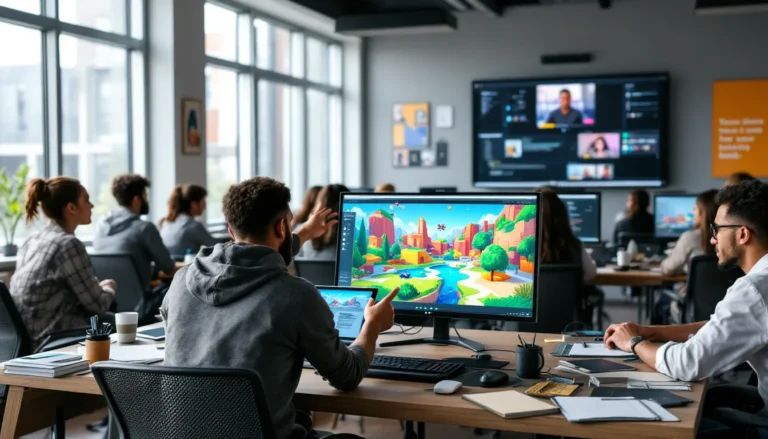
In practice, artists and developers are in constant collaboration. An artist models a character, a rigger sets up the skeleton, an animator brings it to life, and a gameplay programmer hooks it into the control scheme. Meanwhile, a technical artist writes shaders to make the skin look realistic under different lighting, and an engine programmer optimizes draw calls so the frame rate doesn’t tank.
Miscommunication here kills projects. An artist might create a beautiful 10-million-poly model that crashes the game on mid-tier hardware. A programmer might hardcode a UI element that makes iteration impossible. The best teams have workflows, pipelines, and regular check-ins to prevent these issues.
Essential Skills for Game Artists
Game art is more than just drawing cool characters. It’s a blend of traditional art fundamentals, technical know-how, and pipeline awareness. Here’s what you need to develop.
2D Art Fundamentals and Digital Illustration
Even if you’re aiming for a 3D role, 2D fundamentals are non-negotiable. Composition, color theory, perspective, anatomy, lighting, these are the building blocks. Concept artists use 2D illustration to explore ideas before production begins. UI artists design menus and icons. Texture artists paint details onto 3D models.
In 2026, tools like Photoshop, Clip Studio Paint, and Procreate (for iPad work) dominate. Many artists also use Blender’s Grease Pencil for 2D animation or rough sketches. The rise of AI-assisted tools like Midjourney and Stable Diffusion has stirred debate, but most studios still value hand-crafted work for final assets, using AI as a reference or ideation tool at best.
3D Modeling and Texturing Techniques
3D modeling is where most game artists spend their time. You’ll work in software like Blender, Maya, or 3ds Max to build characters, props, and environments. The workflow typically involves high-poly modeling (sculpting fine details in ZBrush or Blender), retopology (creating a low-poly version optimized for real-time rendering), and UV unwrapping (laying out the model for texturing).
Texturing is where models come alive. Tools like Substance Painter and Substance Designer let you paint realistic materials, rust, fabric, skin, using PBR (physically-based rendering) workflows. PBR ensures assets look consistent across different lighting conditions, which is essential for modern engines.
Polygon budgets vary wildly. A mobile game character might be 5,000 tris. A current-gen AAA hero character can push 100,000+ tris with LOD (level of detail) systems to scale down at a distance.
Animation and Visual Effects Skills
Animation breathes life into static models. Rigging (building a skeleton) and skinning (binding the mesh to bones) come first. Then animators use tools like Maya, Blender, or engine-based systems (Unreal’s Sequencer, Unity’s Animator) to create movement.
Game animation differs from film. You’re working with blend trees, state machines, and procedural systems to handle player input in real time. A walk cycle needs to transition smoothly into a run, a jump, or a dodge based on controller input. Inverse kinematics (IK) helps feet plant naturally on uneven terrain.
VFX artists create explosions, magic spells, smoke, fire, anything particle-based or shader-driven. Tools like Houdini, Niagara (Unreal), and VFX Graph (Unity) are industry standards. This role often requires scripting knowledge to build efficient, performant effects.
Core Skills for Game Developers
Game development is problem-solving under constraints. You’re juggling performance, player experience, and technical debt while shipping on time. Here’s what you need in your toolkit.
Programming Languages Every Developer Should Know
The languages you learn depend on your target engine and platform, but a few are universal:
- C++: The backbone of AAA development. Unreal Engine, proprietary engines, and performance-critical systems are written in C++. It’s powerful but unforgiving, memory management, pointers, and debugging can be brutal for beginners.
- C#: Unity’s primary language. It’s more beginner-friendly than C++ with garbage collection and a gentler learning curve. Also used in Godot (alongside GDScript).
- Python: Common for tools, automation, and scripting pipelines. Not used for runtime game code, but invaluable for build scripts and editor extensions.
- JavaScript/TypeScript: Relevant for web-based games, HTML5 engines like Phaser, and increasingly for tools and UI in larger projects.
If you’re starting out, C# in Unity or GDScript in Godot offers the fastest path to shipping something playable.
Game Engine Proficiency and Technical Design
You don’t need to build an engine from scratch (unless you’re a masochist or working at id Software). Modern game engines handle rendering, physics, audio, input, and more. Your job is to use them effectively.
Engine proficiency means understanding the editor, the scripting API, the rendering pipeline, and the asset import workflow. It also means knowing when to use built-in systems versus writing custom code. Unity’s Entity Component System (ECS) and Unreal’s Blueprint visual scripting are powerful, but they’re not always the right tool.
Technical design is the bridge between game design and engineering. It’s about structuring systems, inventory, dialogue, AI, so they’re flexible, maintainable, and performant. Poor technical design leads to spaghetti code, bloated save files, and patches that break more than they fix.
Problem-Solving and Optimization Abilities
Games are interactive systems with a million edge cases. A player might try to jump on a physics object mid-cutscene, triggering a crash. An enemy might path into a wall and loop forever. Your job is to anticipate, debug, and fix these issues.
Optimization is equally critical, especially when considering how indie developers tackle performance on varied hardware. You’ll profile frame times, reduce draw calls, optimize scripts, compress textures, and tweak LOD settings. Console certification often requires hitting 60 FPS with no hitches. Mobile games need to run on five-year-old Android devices. It’s a grind, but it separates shipped games from abandoned prototypes.
Popular Game Engines and Art Tools in 2026
The tools you choose shape your workflow, your performance, and your career opportunities. Here’s what’s dominating the industry right now.
Unity, Unreal Engine, and Godot: Choosing Your Platform
Unity remains the most popular engine for indie and mobile development. Its asset store, cross-platform support, and C# scripting make it accessible. Unity 6 (released in late 2025) brought improvements to rendering, ECS performance, and multiplayer tools. It’s the go-to for 2D games, mobile titles, and VR projects.
Unreal Engine 5 is the king of high-fidelity 3D. Nanite (virtualized geometry) and Lumen (real-time global illumination) let developers achieve film-quality visuals without the traditional performance hit. UE5 dominates AAA and next-gen projects. It’s free until your game earns $1 million, then Epic takes a 5% royalty. Blueprint makes it approachable for non-programmers, but mastering C++ unlocks the engine’s full potential.
Godot 4 has surged in popularity, especially after Unity’s controversial pricing changes in 2023. It’s open-source, lightweight, and excellent for 2D games. Godot 4.2 (current as of early 2026) improved 3D rendering, but it still lags behind Unity and Unreal for large-scale 3D projects. GDScript is Python-like and easy to learn. The community is passionate and growing fast.
Other engines like GameMaker Studio 2, RPG Maker, and Construct serve niche use cases (2D platformers, RPGs, no-code development). For web games, Phaser and Three.js are solid picks.
Industry-Standard Art Software and Workflows
On the art side, the toolchain is fairly standardized:
- 3D Modeling: Blender (free, increasingly popular), Maya (industry standard for animation), 3ds Max (common in environment art), ZBrush (sculpting).
- Texturing: Substance Painter (PBR texturing), Substance Designer (procedural materials), Quixel Mixer (free for Unreal projects).
- 2D Art: Photoshop, Clip Studio Paint, Krita (free), Affinity Photo.
- Animation: Maya, Blender, MotionBuilder (mocap cleanup).
- VFX: Houdini, Embergen (real-time fire/smoke), Niagara (Unreal), VFX Graph (Unity).
Blender deserves special mention. It’s free, constantly updated, and capable of professional work. Studios like Ubisoft and Microsoft have contributed to its development. If budget is tight, you can build an entire pipeline around Blender, Krita, and Godot without spending a dime.
Educational Pathways and Learning Resources
There’s no single “correct” path into game development. Formal degrees, online courses, and self-teaching all produce working professionals. What matters is building demonstrable skills and a portfolio.
Formal Education vs. Self-Taught Routes
Formal education, a degree in game design, computer science, or fine arts, offers structure, mentorship, and networking. Programs like DigiPen, USC’s Game Design MFA, or Gnomon School of Visual Effects have strong industry connections. You’ll graduate with a portfolio, internship experience, and alumni contacts.
The downsides? Cost (often $50k–$150k for a four-year program) and time. Some programs also lag behind industry trends, teaching outdated engines or workflows.
Self-taught routes are increasingly viable. Platforms like YouTube, Udemy, Coursera, and specialized sites (Pluralsight, CG Cookie) offer courses for $10–$50. Free resources abound: Blender Guru’s donut tutorial, Brackeys’ Unity videos, Epic’s Unreal learning portal.
The challenge is discipline. Without deadlines or a syllabus, it’s easy to tutorial-hop without finishing projects. Self-taught developers need to be ruthless about scope and shipping.
Online Courses, Tutorials, and Community Learning
In 2026, the quality of online education rivals traditional institutions. Here are standout resources:
- GameDev.tv: Comprehensive Unity, Unreal, and Blender courses. Their Unreal 5 C++ course is particularly strong.
- Pluralsight/Digital Tutors: Subscription-based, industry-focused. Great for learning specific tools (Substance, Houdini, Maya).
- ArtStation Learning: High-quality art courses from working professionals.
- freeCodeCamp/Codecademy: For programming fundamentals.
- YouTube channels: Brackeys, Sebastian Lague, Blackthornprod (game dev): Blender Guru, FlippedNormals, Stylized Station (art).
Community learning happens on Discord servers, Reddit (r/gamedev, r/Unity3D, r/unrealengine), and forums. Game jams (Ludum Dare, Global Game Jam) force you to finish projects under time pressure, which is invaluable practice. Many professionals cite their first jam game as a turning point.
Building a Portfolio That Gets Noticed
Your portfolio is your resume. Studios care less about where you studied and more about what you can do. For artists, showcase:
- 3–5 polished pieces (better than 20 mediocre ones).
- Variety: characters, environments, props, or deep specialization if targeting a specific role.
- Breakdowns: wireframes, UV layouts, texture maps. Show your process.
- Real-time renders (Marmoset Toolbag, Sketchfab) if targeting game art.
For developers, include:
- 2–3 finished games (even small ones). Itch.io, Steam, or GitHub links.
- Clean, commented code samples on GitHub.
- A breakdown of systems you built (AI, inventory, multiplayer).
- Participation in jams or open-source projects.
ArtStation is the go-to for artists. Developers often use GitHub, personal websites, or Itch.io. Make sure your portfolio loads fast, is easy to navigate, and highlights your best work in the first 10 seconds.
Career Opportunities in Game Art and Development
The gaming industry offers wildly different career paths depending on your goals, risk tolerance, and preferred work style. Here’s what’s out there.
Indie Game Creation vs. AAA Studio Positions
Indie development means small teams (often solo) with full creative control. You wear multiple hats, art, code, design, marketing. Revenue is unpredictable. A breakout hit like Vampire Survivors can earn millions, but most indie games don’t recoup development costs. Platforms like Steam, itch.io, and Epic Games Store have lowered barriers, but discoverability is brutal.
Indie life suits generalists who value creative freedom over stability. You’ll likely need savings or a day job until your game ships.
AAA studios (Activision, Ubisoft, Sony, etc.) offer stability, salaries ($60k–$150k+ depending on role and location), and access to cutting-edge tech. You’ll work on a narrow slice of a massive project. A character artist might spend two years on a single game, modeling secondary NPCs. The work is polished, but creative input is limited, and crunch (mandatory overtime before launches) remains an industry-wide problem even though reform efforts.
Mid-sized studios and AA developers offer a middle ground, more creative input than AAA, more resources than indie. Many professionals prefer exploring opportunities in structured learning environments before committing to a specific path.
Specialized Roles: From Concept Artist to Technical Artist
As you gain experience, you’ll specialize. Here are a few high-demand roles in 2026:
- Technical Artist: Bridges art and code. Writes shaders, builds tools, optimizes pipelines. Requires both artistic eye and programming chops. High demand, great pay.
- Concept Artist: Creates visual direction during pre-production. Highly competitive: requires exceptional 2D illustration skills.
- Character Artist: Models and textures characters. Often divided into hard-surface (armor, weapons) and organic (faces, anatomy) specialists.
- Environment Artist: Builds worlds, terrain, buildings, props. Strong understanding of composition and architectural history helps.
- Animator: Brings models to life. Rigging, keyframe animation, mocap cleanup.
- UI/UX Designer: Designs menus, HUDs, icons. Requires understanding of user flow and usability, not just visual design.
- Gameplay Programmer: Implements mechanics, controls, and core loops.
- Engine Programmer: Works on rendering, physics, or core systems. Requires deep C++ knowledge.
Other emerging roles include AI engineer (not just NPC behavior, machine learning for procedural generation or player analytics) and VR/AR specialist.
Freelancing and Remote Work Trends
The pandemic accelerated remote work, and many studios have adopted hybrid or fully remote models. This expands opportunities, you’re no longer limited to cities with a heavy studio presence (LA, Seattle, Montreal, Tokyo). Freelancing platforms like ArtStation, Upwork, and specialized game dev marketplaces connect artists and programmers with contract gigs.
Freelancing offers flexibility and variety, but income is inconsistent, and you’re responsible for your own health insurance, taxes, and retirement. Contract rates range from $25/hour for junior artists to $150+/hour for senior technical specialists.
The Game Production Pipeline Explained
Game development is a structured process with distinct phases. Understanding the pipeline helps you anticipate bottlenecks, communicate across disciplines, and avoid wasted work.
Pre-Production: Concept and Planning
Pre-production is where ideas become plans. The team defines the core concept, target platforms, art style, and technical requirements. Concept artists create mood boards and sketches. Designers write the game design document (GDD), outlining mechanics, progression, and features. Programmers build prototypes to test feasibility.
This phase is cheap but critical. Pivoting here costs days or weeks. Pivoting during production costs months.
Key deliverables:
- Concept art and style guides
- Prototypes (greybox levels, mechanics tests)
- Technical design documents
- Scope and timeline estimates
Pre-production typically lasts 10–20% of total dev time. Indie teams sometimes skip it and pay the price later in scope creep and rework.
Production: Asset Creation and Development
Production is the bulk of development, building assets, writing code, integrating systems. Artists create final models, textures, and animations. Programmers carry out mechanics, AI, and UI. Designers script levels and encounters. Audio teams record sound effects and music.
This phase relies on iteration. A first-pass character might look rough: you’ll refine it over multiple passes. Playtesting happens constantly, internal, then focus groups, then broader betas. Feedback drives changes, and the game evolves toward its final form.
Version control (Git, Perforce) and task management (Jira, Trello) keep hundreds of assets and code commits organized. Daily standups and milestone reviews prevent teams from drifting apart.
Production is where crunch happens if planning failed. A healthy studio builds buffer time and cuts features when deadlines loom. An unhealthy one crunches for months, burning out staff.
Post-Production: Testing, Polish, and Launch
Post-production begins once the game is “feature complete”, all content is in, but bugs and polish remain. QA testers stress-test systems, hunt edge cases, and file thousands of bug reports. Artists tweak lighting and materials. Programmers optimize performance and squash crashes.
This is also when certification happens for console releases. Sony, Microsoft, and Nintendo have strict technical requirements (frame rate stability, load times, controller mapping). Failing cert delays launch and costs money.
Launch isn’t the end. Day-one patches address last-minute bugs. Live-service games shift into ongoing content updates, seasonal events, and balance patches. A growing number of titles rely on post-launch revenue (DLC, microtransactions) as much as initial sales.
Marketing ramps up during this phase, trailers, press kits, influencer outreach. Many gaming outlets preview games weeks before launch, shaping first impressions.
Common Challenges and How to Overcome Them
Game development is hard. Here are the problems everyone hits and the strategies that actually work.
Managing Scope Creep and Time Constraints
Scope creep, the gradual expansion of features beyond the original plan, kills more projects than bad code or art. You start with a simple 2D platformer. Then you add a crafting system. Then NPCs. Then dialogue trees. Suddenly you’re three years in with no launch in sight.
The fix: ruthless prioritization. Define your core loop (the 10-second cycle the player repeats) and cut anything that doesn’t serve it. Use the MoSCoW method: Must have, Should have, Could have, Won’t have. Revisit it monthly.
Time constraints are scope creep’s evil twin. You’ve promised a feature, but it’s taking twice as long as estimated. The solution isn’t working longer hours, it’s cutting or simplifying. Replace that complex AI with basic pathfinding. Reuse existing assets instead of modeling new ones. Ship version 1.0, then iterate post-launch.
Balancing Artistic Vision with Technical Limitations
Artists want beautiful, detailed worlds. Engineers want stable frame rates and clean code. The tension is constant. A lighting artist might bake global illumination that tanks performance on mid-tier GPUs. A designer might script a boss fight that exposes a physics bug.
The solution is early and frequent communication. Technical artists help here, translating between disciplines. Profiling tools (Unity Profiler, Unreal Insights) show exactly what’s slow. LOD systems, occlusion culling, and texture atlasing are standard techniques for balancing fidelity and performance.
Sometimes limitations spark creativity, a principle frequently discussed in design retrospectives analyzing cult classics. Shadow of the Colossus used sparse, empty landscapes to hide technical constraints, and it became an aesthetic hallmark.
Staying Updated with Rapidly Evolving Technology
Game tech evolves fast. Unreal Engine 5’s Nanite was science fiction five years ago. AI-generated art went from novelty to controversy to production tool in 18 months. If you stop learning, your skills decay.
Strategies to stay current:
- Follow engine update notes (Unity blog, Unreal roadmap, Godot devlogs).
- Join communities (Discord servers, Reddit, Twitter/X).
- Experiment with new tools in side projects.
- Attend conferences (GDC, Unite, Unreal Fest) or watch talks online.
- Read post-mortems and case studies from shipped games.
Don’t chase every trend. Master fundamentals first, C++ doesn’t change much, and composition principles are timeless. New tools should solve real problems, not just look shiny on your resume.
Burnout is real. Many in the game development space cycle through passion projects to keep skills fresh without the pressure of shipping commercial products. Take breaks. Play games. Analyze what works and what doesn’t. Your job is to create interactive experiences, and you can’t do that if you’re fried.
Conclusion
Breaking into game art and development in 2026 is more accessible than ever, and more competitive. Tools are cheaper (or free), learning resources are abundant, and remote work has opened global opportunities. But accessibility doesn’t mean easy. You’re competing with thousands of other hopefuls, and the industry demands both technical skill and creative problem-solving.
If you’re serious about this, start small. Finish a game jam project. Model a single polished character. Write a working prototype. Ship something, even if it’s tiny. Employers and players care about what you’ve done, not what you plan to do. Build your portfolio, join communities, and keep learning. The path is long, but the industry needs talented people who can see a project through to launch. Make sure you’re one of them.