
The debate over 1080p gaming never really died, it just evolved. In 2026, with 4K displays everywhere and 1440p becoming the “sweet spot” narrative, you might wonder if Full HD still has a place in your setup. Spoiler: it absolutely does, but the answer depends on your hardware, gaming style, and what you’re actually trying to achieve.
1080p isn’t just surviving: it’s thriving in specific scenarios where performance, budget, and competitive edge matter more than pixel density. Whether you’re building your first rig, chasing high refresh rates in esports titles, or stretching your GPU budget, understanding where 1080p excels, and where it falls short, will help you make the right call for your gaming experience.
Key Takeaways
- 1080p gaming is ideal for competitive multiplayer players and budget builders, delivering superior frame rates and lower input lag on 24-inch monitors compared to higher resolutions.
- A 1080p setup requires significantly less GPU power than 1440p or 4K, allowing mid-range graphics cards like the RTX 5060 to achieve 200+ FPS in esports titles and 100+ FPS in AAA games.
- 1080p for gaming excels on properly sized 24-inch displays at 92 pixels per inch, but becomes noticeably pixelated on monitors larger than 27 inches where 1440p becomes the better choice.
- The visual quality gap widens when gaming at 1080p on larger screens or in cinematic single-player games, where the reduced pixel density fails to showcase fine textures and detail compared to 1440p or 4K.
- Budget-conscious gamers can build a capable 1080p gaming rig for $800–$1000 with an RTX 5050 or RX 8700, providing excellent value and upgrade flexibility without expensive full-system overhauls.
- Choose 1440p if you play AAA single-player games and want visual clarity alongside high refresh rates, but stick with 1080p if competitive responsiveness and maximum frame rates are your priority.
Understanding 1080p Resolution in Gaming
What Does 1080p Actually Mean?
1080p refers to a display resolution of 1920×1080 pixels, which translates to roughly 2.07 million pixels on screen. The “p” stands for progressive scan, meaning each frame is drawn in one pass rather than interlaced. It’s been the baseline HD standard for over a decade, and it remains the most common resolution for gaming monitors worldwide.
The pixel density at 1080p varies based on screen size. On a 24-inch monitor, you get approximately 92 pixels per inch (PPI), which produces sharp, clear visuals. Stretch that same resolution across a 27-inch or 32-inch display, and you’ll notice the pixel density drops, making individual pixels more visible, especially if you’re sitting close.
From a rendering standpoint, your GPU pushes 2.07 million pixels every frame. That might sound like a lot, but it’s significantly less demanding than 1440p (3.69 million) or 4K (8.29 million). This difference becomes critical when you’re aiming for high frame rates or working with mid-tier hardware.
How 1080p Compares to Other Gaming Resolutions
Compared to 1440p (2560×1440), 1080p requires roughly 44% less GPU horsepower per frame. In practical terms, a GPU that hits 100 FPS at 1440p will typically push 140-160 FPS at 1080p in the same game with identical settings. That performance gap matters when you’re chasing 240Hz or even 360Hz refresh rates in competitive titles.
4K (3840×2160) quadruples the pixel count of 1080p. The visual jump is noticeable, especially in open-world games where detail and draw distance shine. But 4K also demands four times the rendering power in theory, realistically, it’s about 3-3.5x due to engine optimizations. Even high-end GPUs like the RTX 5080 and RX 8800 XT struggle to maintain 144 FPS at 4K in demanding AAA titles without upscaling tech like DLSS or FSR.
Ultrawide resolutions like 2560×1080 and 3440×1440 offer more horizontal space but don’t always play nice with every game. 1080p remains universally supported across all titles, launchers, and platforms, no letterboxing, no stretched UI elements, no compatibility headaches.
Performance Benefits of Gaming at 1080p
Higher Frame Rates and Smoother Gameplay
The single biggest advantage of 1080p is raw frame rate. Lower pixel count means your GPU can render frames faster, translating directly into smoother gameplay and lower input lag. In fast-paced shooters like Call of Duty: Warzone, Valorant, or Apex Legends, the difference between 144 FPS and 240 FPS is perceptible, movements feel more fluid, tracking improves, and peeking around corners gives you a split-second edge.
Mid-range cards like the RTX 5060 or RX 8700 can easily push 200+ FPS at 1080p in esports titles with optimized settings. Even in graphically intensive games like Cyberpunk 2077 or Starfield, you can maintain 120+ FPS with high settings, whereas 1440p would drop you into the 80-100 range with the same hardware.
Frame time consistency also improves at 1080p. Lower resolutions reduce GPU bottlenecks, leading to more stable frame delivery and fewer stutters. If you’ve ever experienced microstuttering at higher resolutions during intense firefights, dropping to 1080p often eliminates that issue entirely.
Lower Hardware Requirements and Budget-Friendly Options
1080p gaming is significantly more accessible from a cost perspective. You don’t need a flagship GPU to enjoy high settings at 60+ FPS. Cards in the $250-$350 range, like the RTX 5050 Ti or Intel Arc B580, deliver excellent 1080p performance across most modern titles.
This budget advantage extends to the entire build. Paired with a competent mid-range CPU like the Ryzen 7 8600 or Intel Core i5-14400F, you can build a capable 1080p gaming rig for $800-$1000 that handles everything from competitive FPS to AAA single-player games at high-to-ultra settings.
The lower power draw at 1080p also means less heat generation and quieter operation. Your GPU doesn’t need to run at max boost clocks constantly, which improves longevity and reduces the need for aggressive cooling solutions.
Competitive Advantages in Fast-Paced Games
In competitive gaming, clarity and responsiveness trump visual fidelity. Pro players in CS2, Valorant, and Rainbow Six Siege overwhelmingly prefer 1080p paired with 240Hz or 360Hz monitors. The reason is simple: higher frame rates reduce input lag and motion blur, giving you a tangible advantage in reaction-time scenarios.
Many competitive players also lower graphical settings deliberately, even on hardware that could handle 1440p. Disabling effects like motion blur, depth of field, and ambient occlusion at 1080p creates cleaner visuals with fewer distractions, making enemy models easier to spot against backgrounds.
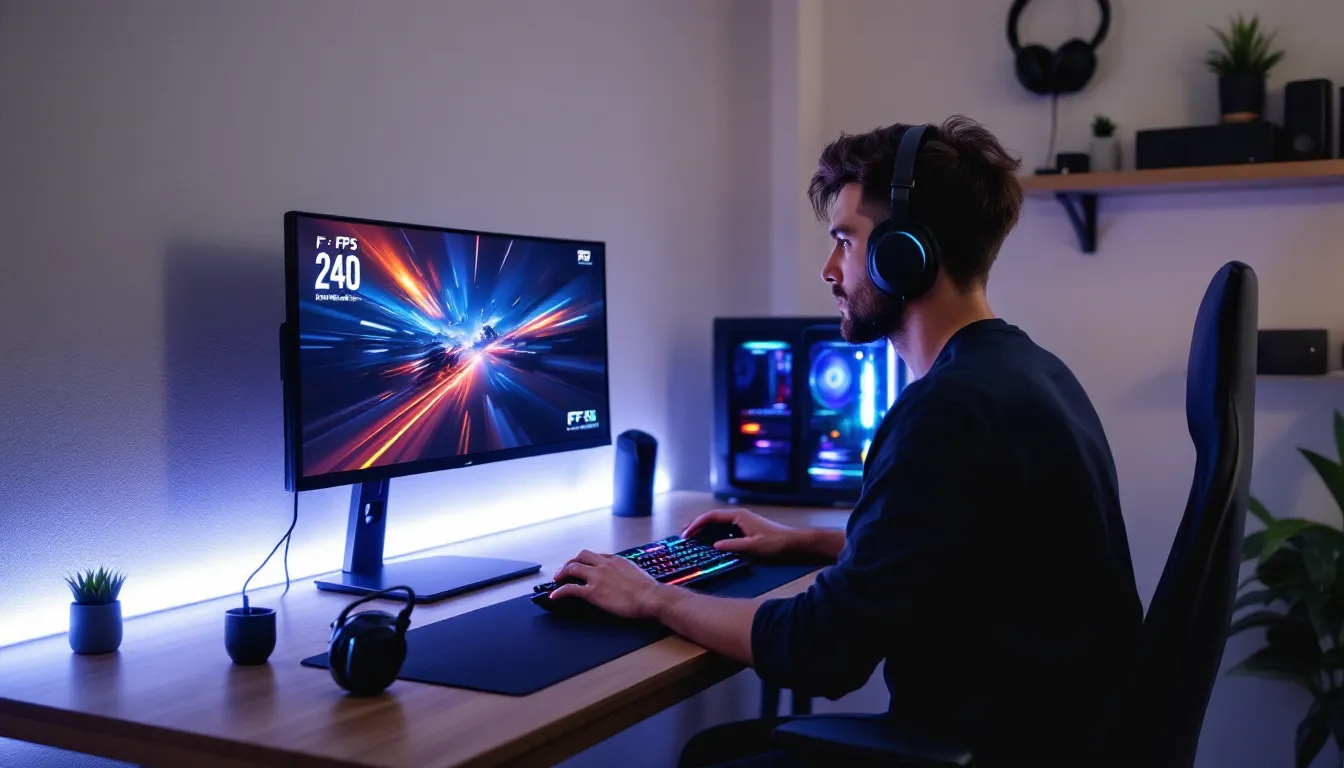
The esports infrastructure also standardizes around 1080p. Tournament setups typically use 24-inch 1080p displays at 240Hz or 360Hz. Practicing at the same resolution you’ll compete on eliminates any adjustment period and keeps muscle memory consistent.
When 1080p Is the Best Choice for Your Gaming Setup
Screen Size and Viewing Distance Considerations
1080p looks best on 24-inch monitors where the pixel density stays around 92 PPI. At typical desktop viewing distances of 20-30 inches, individual pixels blend seamlessly, and text remains sharp. This is why 24-inch 1080p monitors dominate the competitive gaming space, they’re perfectly sized for the resolution.
Stretching 1080p to a 27-inch display drops pixel density to roughly 82 PPI. You’ll start noticing jaggies on diagonal lines and slightly softer text, though it’s not a dealbreaker for everyone. If you sit further back or prioritize frame rates over crispness, 27-inch 1080p can still work, but 1440p becomes more appealing at this size.
Anything larger than 27 inches, and 1080p struggles. On a 32-inch monitor or a living room TV, the pixel density drops below 70 PPI. Text becomes noticeably pixelated, and the overall image softness detracts from immersion in cinematic games. For couch gaming or large displays, 1440p or 4K makes more sense.
Esports and Competitive Gaming
If your library consists primarily of competitive multiplayer titles, 1080p paired with a high refresh rate monitor is the optimal choice. Games like Valorant, CS2, League of Legends, Overwatch 2, and Fortnite benefit far more from 240+ FPS than from higher resolution.
The reduced GPU load at 1080p means you can maintain those high frame rates even during chaotic teamfights or when multiple effects are on screen. In Valorant, for instance, a stable 300+ FPS at 1080p provides noticeably smoother gameplay than 150 FPS at 1440p, even if the higher resolution looks prettier.
Many gaming peripherals and accessories are optimized around this setup. Professional-grade gaming laptop accessories often assume 1080p as the baseline for portable competitive setups, ensuring compatibility and performance consistency across different environments.
Mid-Range and Budget Gaming Builds
For gamers building on a $800-$1200 budget, 1080p is the sweet spot. It allows you to allocate more funds toward other critical components, faster storage, better cooling, a mechanical keyboard, or a quality headset, without sacrificing gaming performance.
A typical mid-range 1080p build in 2026 might include an RTX 5060 or RX 8700, a Ryzen 7 8600 or i5-14400F, 16GB of DDR5 RAM, and a 1TB NVMe SSD. This configuration delivers 100+ FPS at high-to-ultra settings in virtually every modern game, with headroom for esports titles to hit 200+ FPS.
The upgrade path is also friendlier. When you eventually want more performance, you can drop in a better GPU without needing to replace your monitor, CPU, or PSU. That modularity keeps total ownership costs lower over time compared to jumping straight to 1440p or 4K, which might require more frequent full-system overhauls.
The Drawbacks of 1080p Gaming in 2026
Visual Quality Compared to Higher Resolutions
The visual difference between 1080p and 1440p is immediately noticeable in games with fine detail, foliage in Red Dead Redemption 2, architectural textures in Assassin’s Creed Mirage, or distant objects in Flight Simulator 2024. The extra pixel density at 1440p produces crisper edges, reduced aliasing, and more defined textures without relying as heavily on anti-aliasing techniques.
4K takes this further, especially in cinematic single-player experiences. Games designed around photorealism, like The Last of Us Part II Remastered or Hellblade 2, lose some of their visual impact at 1080p. Subtle lighting effects, texture detail, and UI elements simply don’t pop the same way on a lower-resolution display.
Anti-aliasing at 1080p also introduces trade-offs. Techniques like TAA (temporal anti-aliasing) can create slight blur to smooth jagged edges, while MSAA tanks performance. At higher resolutions, you often need less aggressive AA because the pixel density naturally reduces aliasing.
Limitations on Larger Monitors and TVs
1080p gaming on anything larger than 27 inches becomes a compromised experience. On a 32-inch monitor at typical desk distances, the reduced pixel density makes individual pixels visible. Text in game UIs, inventory screens, and even subtitles can appear fuzzy or slightly pixelated.
For living room setups with 40-inch+ TVs, 1080p falls apart entirely. Even sitting 6-8 feet away, you’ll notice the softness and lack of detail compared to native 1440p or 4K. Most modern TVs are 4K anyway, and while they’ll downscale a 1080p signal, it never looks as clean as a native resolution.
Console gamers face similar issues. The PS5 and Xbox Series X target 4K or dynamic resolution scaling, and forcing them to output 1080p on a 4K display creates unnecessary upscaling artifacts. You lose the benefits of the console’s native rendering pipeline.
Future-Proofing Concerns
Gaming hardware trends favor higher resolutions. GPU manufacturers increasingly position 1440p as the mainstream target, with 1080p relegated to budget SKUs. Performance metrics and marketing materials from NVIDIA, AMD, and Intel focus on 1440p and 4K benchmarks, signaling where the industry’s headed.
Game developers also optimize around higher resolutions. UI scaling, texture detail levels, and rendering techniques in 2026 assume 1440p or better as the baseline for “high-quality” experiences. While 1080p remains fully supported, you’re not getting the intended visual presentation in many AAA titles.
Monitor technology reflects this shift. High refresh rate 1440p panels have dropped in price significantly, quality 1440p 165Hz monitors now cost only $50-$100 more than equivalent 1080p models. The value proposition of sticking with 1080p weakens as the price gap narrows.
1080p Gaming Across Different Platforms
PC Gaming at 1080p
PC gaming at 1080p offers the most flexibility. You control every setting, resolution, refresh rate, graphics options, render scale, giving you complete authority over the performance-quality balance. Whether you’re chasing 360 FPS in CS2 or locking 60 FPS with maxed settings in Elden Ring, 1080p lets you dial in your preferred experience.
The GPU market in 2026 still caters heavily to 1080p. Cards in the $200-$400 range deliver strong performance at this resolution, and independent testing from outlets like Tom’s Hardware consistently shows excellent value at the 1080p tier. You don’t need to drop $600+ on flagship hardware unless you’re targeting extreme refresh rates or specific visual features like maxed ray tracing.
Upscaling technologies like NVIDIA DLSS and AMD FSR also work well at 1080p. Rendering at 720p or 900p and upscaling to 1080p can net you significant performance gains with minimal visual degradation, especially with DLSS 3.7 and FSR 4. This effectively extends the lifespan of mid-range hardware.
Console Gaming Performance
The PS5 and Xbox Series X rarely output native 1080p anymore. Most games use dynamic resolution scaling, targeting 1440p-4K with reconstruction techniques. But, performance modes in titles like Call of Duty: Modern Warfare III and Fortnite will drop to 1080p or slightly above to maintain 120 FPS.
The Xbox Series S is essentially a 1080p-focused console. It targets 1080p at 60 FPS or 1440p at 30 FPS in most games, with performance modes occasionally hitting 120 FPS at sub-1080p resolutions. For budget-conscious console gamers, it’s a solid option paired with a 1080p monitor.
Nintendo Switch operates at 1080p when docked, but many demanding games render at lower resolutions and upscale. Handheld mode caps at 720p. Still, for Nintendo’s first-party titles like The Legend of Zelda: Tears of the Kingdom or Metroid Prime 4, 1080p docked provides a clean, enjoyable experience.
Mobile and Handheld Gaming
Handheld gaming PCs like the Steam Deck, ROG Ally, and Lenovo Legion Go primarily target resolutions between 800p and 1200p, but external display support usually maxes out at 1080p. Given the limited GPU power in these devices, 1080p is often the ceiling for decent performance.
The Steam Deck LCD runs at 1280×800, while the OLED model matches that resolution. For external display gaming, 1080p at 60 FPS is the realistic target for most titles at medium settings. Performance analysis from DSOGaming shows that pushing these handhelds beyond 1080p on external monitors results in unplayable frame rates without aggressive upscaling.
Mobile gaming on phones typically renders at or below 1080p, even on flagship devices with higher-resolution screens. Games like Genshin Impact and Call of Duty Mobile default to 1080p or lower to preserve battery life and maintain stable frame rates.
Recommended Hardware for Optimal 1080p Gaming
Graphics Card Requirements for Different Frame Rate Targets
For 60 FPS at high settings, budget GPUs handle 1080p comfortably. The RTX 5050 ($249), RX 8600 ($229), or Intel Arc B580 ($249) all deliver solid performance in AAA titles at high-to-ultra settings. These cards work great for single-player games where you’re prioritizing visuals over raw frame rate.
Targeting 144 FPS in AAA games requires a step up. The RTX 5060 Ti ($399) and RX 8700 XT ($429) provide headroom for high refresh rate gaming at 1080p with ultra settings. You’ll maintain 120+ FPS in demanding titles like Cyberpunk 2077 with moderate ray tracing or Starfield at ultra.
For 240+ FPS in competitive esports titles, even mid-range cards excel. An RTX 5060 pushes well over 300 FPS in Valorant, CS2, and League of Legends at high settings. For absolute maximum frame rates in Fortnite or Apex Legends at competitive settings, the RTX 5070 or RX 8800 ensures you’re never GPU-bound.
CPU and RAM Recommendations
At 1080p, you’re more likely to encounter CPU bottlenecks at high frame rates. For 144+ FPS gaming, a strong CPU is critical. The Ryzen 7 8600 or Intel Core i5-14400F represent excellent mid-range options, providing enough single-threaded performance to feed even high-end GPUs at 1080p.
For competitive gamers chasing 240+ FPS, step up to a Ryzen 7 9700X or Intel Core i7-14700K. These CPUs deliver the single-thread performance needed to maintain ultra-high frame rates without bottlenecking your GPU during complex in-game scenarios.
16GB of DDR5 RAM at 5600 MT/s or faster is the baseline for 1080p gaming in 2026. Most games run fine with this, though memory-intensive titles like Starfield or Flight Simulator 2024 benefit from 32GB. Dual-channel configuration is non-negotiable, single-channel RAM can reduce performance by 10-20% in CPU-limited scenarios.
Best Monitor Specs for 1080p Gaming
For competitive gaming, a 24-inch 1080p monitor at 240Hz or 360Hz is ideal. Look for IPS or TN panels with 1ms response times (GtG) and support for NVIDIA G-SYNC or AMD FreeSync to eliminate screen tearing. Response time matters more than color accuracy in this category.
For balanced gaming across multiple genres, a 24-inch or 27-inch 1080p monitor at 144Hz-165Hz hits the sweet spot. IPS panels provide better color accuracy and viewing angles than TN, which matters for single-player games. Brands like ASUS, BenQ, and AOC offer excellent options in the $150-$250 range, as confirmed by detailed comparisons from RTINGS.
Avoid 27-inch+ 1080p monitors unless you’re sitting further back than typical desktop distances. The reduced pixel density becomes noticeable, and you’d be better served by a 1440p panel at that size. If budget is tight and you already own a larger 1080p display, it’ll work, but it’s not the optimal pairing.
1080p vs. 1440p vs. 4K: Which Should You Choose?
Cost-to-Performance Analysis
1080p delivers the best frames-per-dollar ratio. A $300 GPU nets you 144+ FPS in most games, and monitor costs stay under $200 for quality high-refresh options. Your total investment for excellent 1080p gaming, including monitor, GPU, and supporting hardware, lands around $800-$1000.
1440p requires roughly 40-50% more GPU horsepower. A $400-$500 GPU is the realistic starting point for high refresh 1440p gaming, and monitors cost $250-$400 for 165Hz-240Hz models. Total system cost jumps to $1200-$1500 for a comparable experience. The visual upgrade is meaningful, but you’re paying a noticeable premium.
4K gaming demands high-end hardware. Even the RTX 5080 ($999) and RX 8900 XT ($949) struggle to maintain 144 FPS in demanding titles without upscaling. Quality 4K 144Hz monitors start at $500+, and you’re looking at $2000+ for a complete system that does 4K justice. The cost-to-performance ratio is the worst of the three, though the visual payoff is undeniable in the right games.
Gaming Experience and Visual Differences
The leap from 1080p to 1440p is more noticeable than you might expect. Sharper textures, cleaner edges, and reduced aliasing transform the visual experience without the massive performance hit of 4K. In open-world games and RPGs, The Witcher 3 Next-Gen, Horizon Forbidden West, Baldur’s Gate 3, the extra detail enhances immersion significantly.
Jumping from 1440p to 4K offers diminishing returns unless you’re on a large display (32 inches+) or sitting close. The pixel density increase is real, but the performance cost often forces compromises. Many gamers find 1440p at 165 FPS more satisfying than 4K at 60-80 FPS, especially in games with any competitive element.
1080p still looks good on appropriately sized displays, particularly in fast-paced games where you’re focused on gameplay rather than scenery. Competitive shooters, MOBAs, and fighting games don’t benefit much from higher resolutions, reaction time and frame consistency matter far more than texture detail.
Making the Right Choice for Your Needs
Choose 1080p if:
- You play primarily competitive multiplayer games
- Your budget is under $1200 for a complete setup
- You want maximum frame rates and lowest input lag
- You’re using a 24-inch monitor
- You’re building your first gaming PC
Choose 1440p if:
- You play a mix of AAA single-player and multiplayer games
- Your budget allows for $1500-$2000
- You want the sweet spot between performance and visuals
- You’re using a 27-inch monitor
- You value visual clarity but still want high refresh rates
Choose 4K if:
- You prioritize visual fidelity above all else
- Your budget exceeds $2000
- You play mainly cinematic single-player games
- You’re using a 32-inch+ display or gaming on a TV
- You’re willing to use upscaling tech like DLSS extensively
There’s no universally “correct” answer. The right resolution depends entirely on your gaming preferences, budget, and hardware. 1080p isn’t outdated, it’s optimized for specific use cases where it genuinely outperforms higher resolutions.
Conclusion
1080p isn’t just “good enough” for gaming in 2026, it’s the optimal choice for competitive players, budget builders, and anyone prioritizing high frame rates over pixel density. The resolution excels on 24-inch monitors, delivers unmatched frames-per-dollar value, and removes GPU bottlenecks that would otherwise limit your refresh rate ceiling.
That said, 1080p isn’t universally ideal. If you’re gaming on larger displays, favor single-player AAA experiences, or have the budget for higher-tier hardware, 1440p offers a compelling middle ground. But for esports, mid-range builds, and maximizing performance on existing hardware, 1080p remains the smart play.
Eventually, the “best” resolution isn’t about following trends, it’s about matching your hardware, monitor size, and gaming priorities. And if those priorities include lightning-fast frame rates and competitive responsiveness, 1080p still reigns supreme.