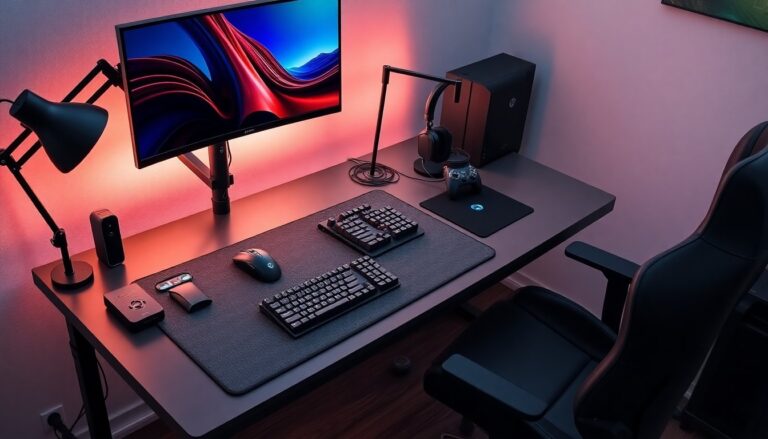


Cheap gaming accessories help players upgrade gear without large expense. This guide lists reliable cheap gaming accessories that deliver performance and value in 2026. It explains what matters when choosing controllers, keyboards, mice, headsets, microphones, and monitors. It also shows where to buy and how to keep items working longer. Readers get clear, practical steps to improve play and sound on a budget.
Key Takeaways
- Prioritize build quality, low input lag, and ergonomics when selecting cheap gaming accessories like controllers, keyboards, and mice to boost gameplay responsiveness.
- Choose wired devices with features like N-key rollover and high polling rates for better performance and cost efficiency.
- Select headsets with balanced drivers and comfort, detachable mics, and monitors with at least 1080p resolution and 75–144 Hz refresh rates for affordable audio and display improvements.
- Buy from reputable retailers, consider refurbished options with warranty, and use price tracking tools to find the best deals on cheap gaming accessories.
- Maintain accessories regularly by cleaning and updating firmware to extend their lifespan and ensure consistent performance.
- Plan incremental upgrades by investing in one reliable cheap gaming accessory at a time to build a better gaming setup without large upfront costs.
Budget Controllers, Keyboards, And Mice: What To Prioritize
Controllers, keyboards, and mice offer the biggest feel upgrade at low cost. Gamers should check build quality, input lag, and ergonomics first. A controller with firm buttons and low latency improves responsiveness. A mechanical-like keyboard with reliable switches gives tactile feedback without high price. A mouse with an accurate sensor and adjustable DPI keeps aim steady.
They should prefer wired options when possible. Wired devices reduce input lag and cost less than wireless models. Gamers should test key rollover and polling rate on keyboards and mice. A keyboard with N-key rollover prevents missed presses in fast play. A 500–1000 Hz polling rate works well for most players.
They should inspect materials. Metal plate keyboards feel solid. ABS plastic can be fine when the frame is reinforced. Rubberized grips on mice extend control. Controllers with textured grips reduce slipping during long sessions.
They should weigh extra features against price. RGB lighting looks nice but rarely helps play. Extra macro keys help streamers and MMO players. Remappable buttons add utility for varied games. If price is tight, skip cosmetic extras and pick quality switches and sensors instead.
They should read user reviews and watch short clips of real use. Reviews show common failure points and real comfort levels. Testing return policies matters. A budget gamepad or keyboard often lasts longer when the seller offers easy returns or a short warranty.
Affordable Audio And Display Boosts: Headsets, Microphones, And Monitors
Sound and display changes produce large perceived improvements for low cost. A good headset clarifies footsteps and voices. A clear mic improves team calls. A monitor with higher refresh rate makes motion smoother. Gamers should focus on clarity, comfort, and performance when choosing cheap gaming accessories for audio and video.
They should pick headsets with balanced drivers and a snug fit. Open-back headsets offer spacey sound but leak audio. Closed-back models isolate sound and often cost less. A headset with a detachable mic gives flexibility. A USB sound card can boost PC audio on a budget.
They should choose simple USB or XLR mics for streaming. USB mics plug in and work without extra gear. A mic with a cardioid pattern reduces room noise. Adding a small foam pop filter and an adjustable arm improves recording quality for little cost.
They should target monitors with at least 1080p and 75–144 Hz where possible. A 144 Hz panel delivers smoother gameplay than 60 Hz. Gamers on strict budgets can accept 1080p at 75 Hz as a step up from 60 Hz. Look for IPS panels for better color and viewing angles. VA panels offer stronger contrast but can show slower pixel transitions.
They should check ports and sync tech. A monitor with DisplayPort or HDMI 2.0 allows higher refresh rates. FreeSync or G-Sync Compatible labels reduce tearing on a budget. Buying last year’s model often cuts price while keeping features that matter.
Smart Savings: Where To Buy, What To Look For, And Maintenance Tips
Buying location affects price and support. Shoppers should compare major retailers, direct brands, and reputable marketplaces. Retailers often run time-limited sales on gaming items. Brands sometimes sell refurbished stock with warranty. Marketplaces show more variety but need careful seller checks.
They should look for clear specs, honest photos, and visible warranties. A clear return window reduces risk. A short warranty still helps if a part fails quickly. They should read the fine print on wireless batteries and cable coverage.
They should watch for flash sales around holidays and product cycles. New model launches drive older models down in price. Price tracking tools alert buyers when a desired cheap gaming accessory drops below a target price.
They should maintain accessories to extend life. Clean keyboards and mice regularly with compressed air and a soft cloth. Keep gaming headsets on a stand and replace foam pads when they wear. Avoid exposing monitors and controllers to direct sunlight. Update firmware for controllers and mice when manufacturers release stable fixes.
They should plan small upgrades over time. Buying one reliable cheap gaming accessory now removes a major pain point. Reinvest savings into the next useful upgrade. Over a year, small choices can create a much better setup without a large upfront spend.